Product UX Designer
Redesigned Quicken WillMaker’s product UI, logo, and branding system through UX research and testing.Increased sales by 5% while ensuring consistency across channels and products.
Persona
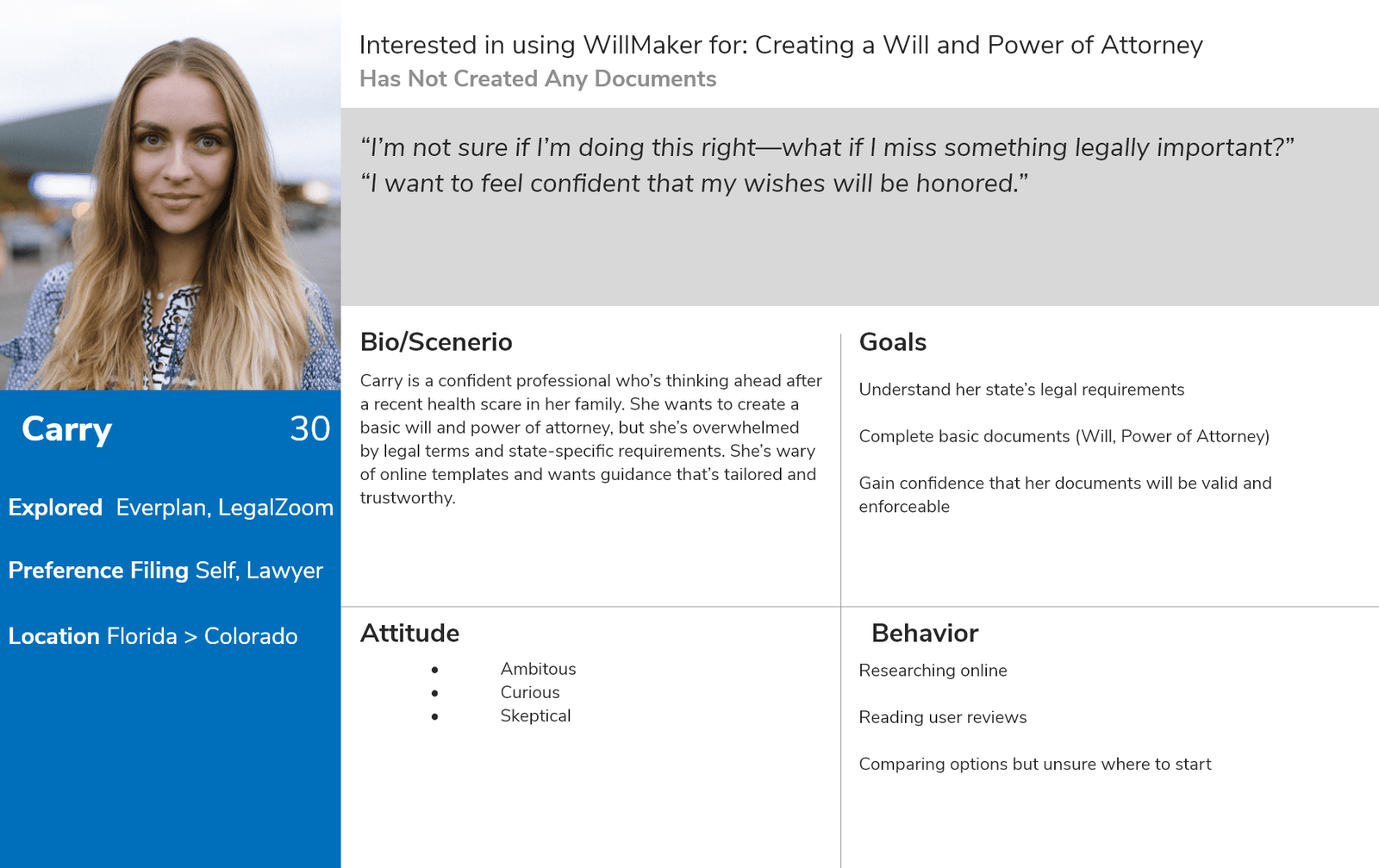
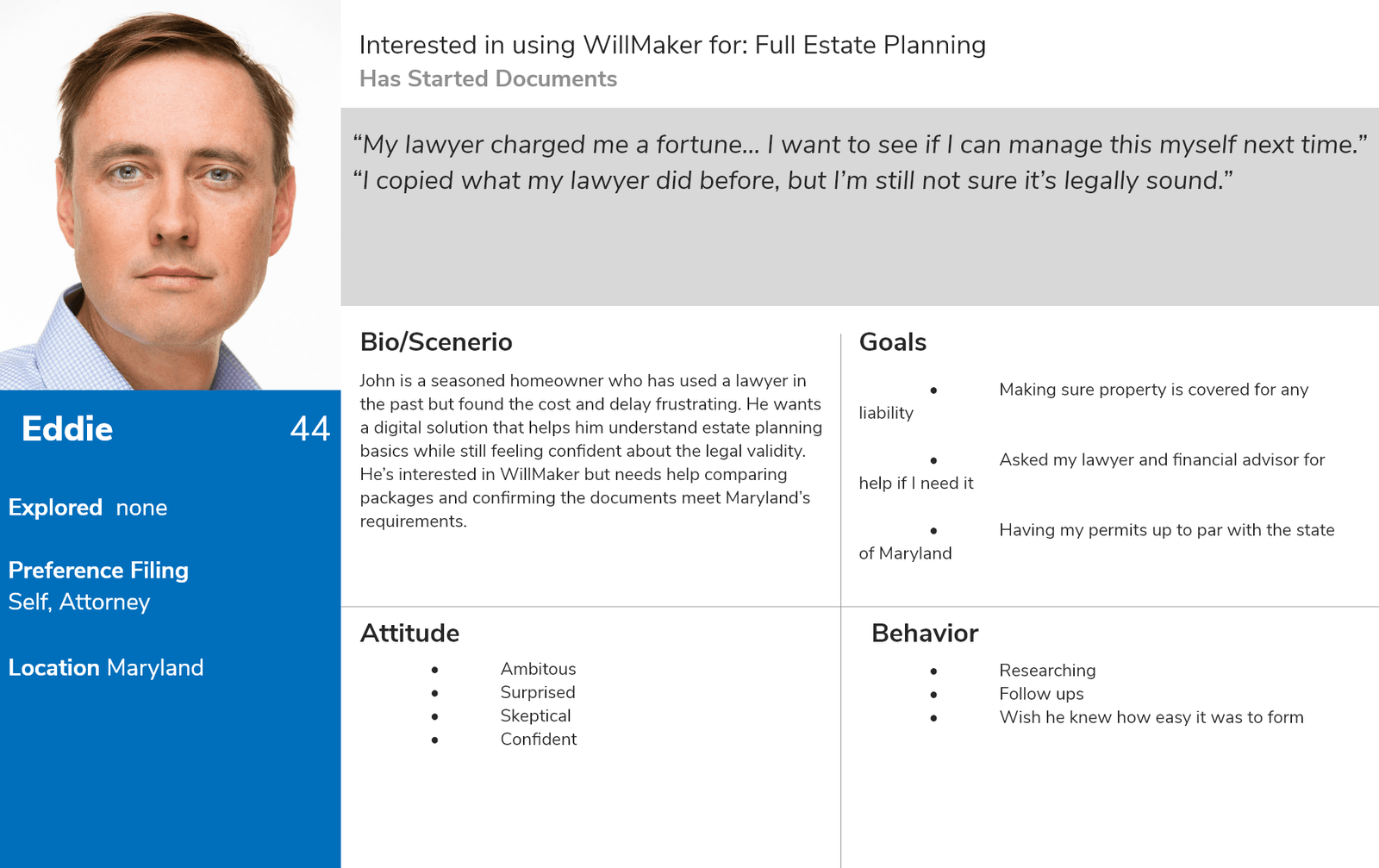
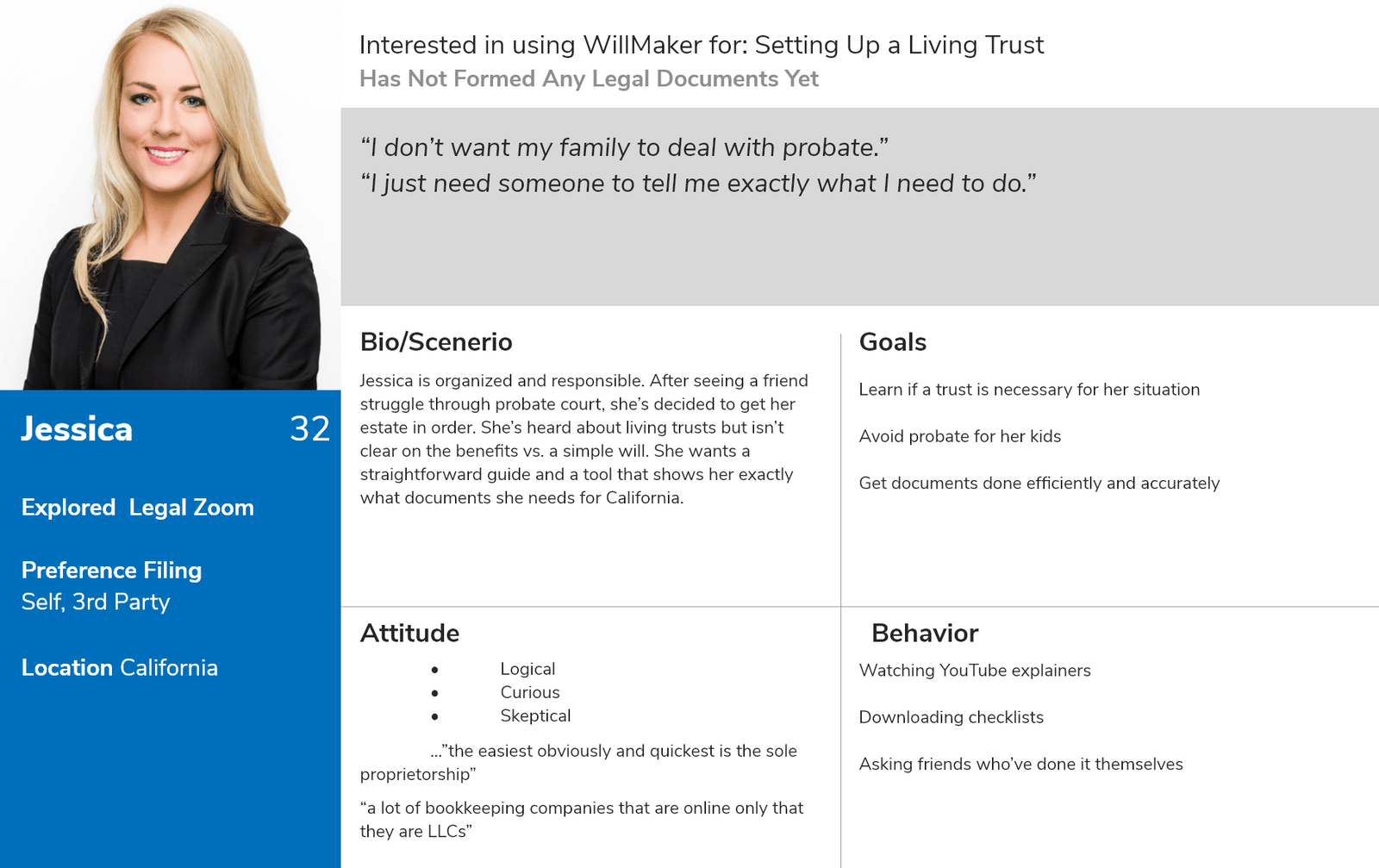
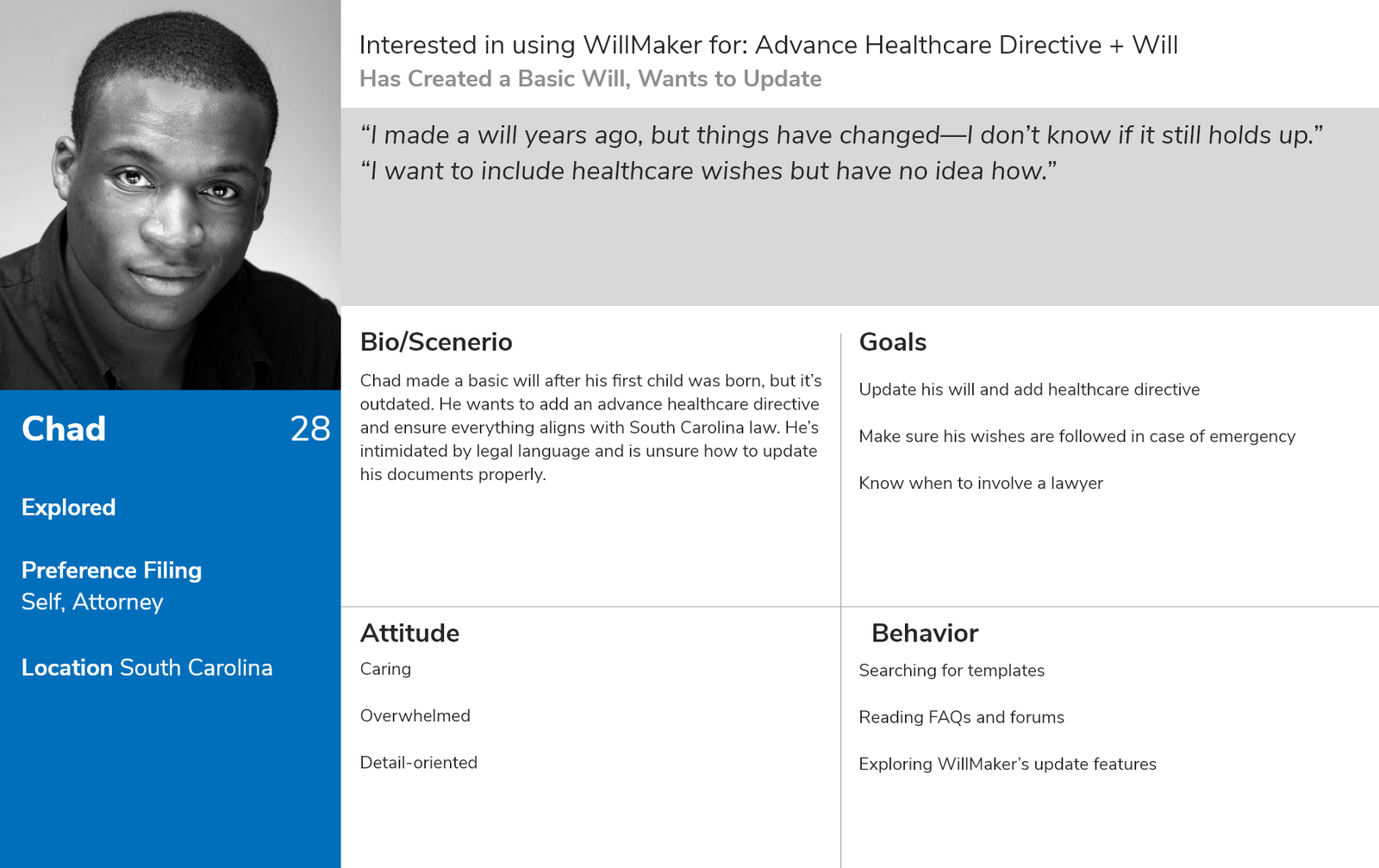
The personas were developed through user interviews and real feedback gathered from Quicken WillMaker users and site visitors. We spoke with individuals at various stages of the estate planning process—some who had completed their documents and others who felt overwhelmed or unsure where to start. Patterns emerged around common concerns such as legal validity, state-specific laws, and understanding which documents were necessary. This helped shape realistic, empathetic personas that reflect true user needs, motivations, and pain points.
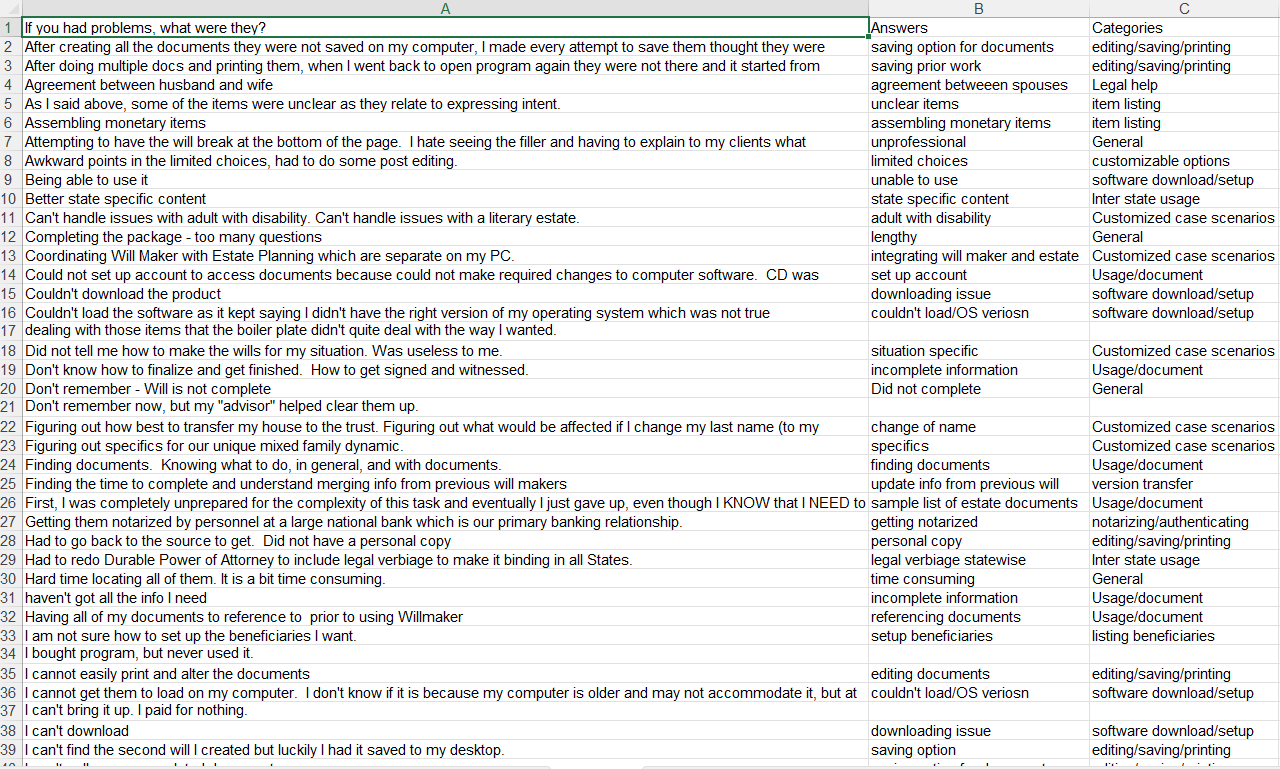
User Website Reviews
We developed these personas based on direct feedback from Quicken WillMaker users, gathered through website reviews and support logs.Common pain points included document saving issues, confusion with legal language, trouble finalizing forms, and difficulties with state-specific requirements.These insights led to new assumptions about user needs, helping us prioritize improvements in clarity, usability, and cross-device compatibility.
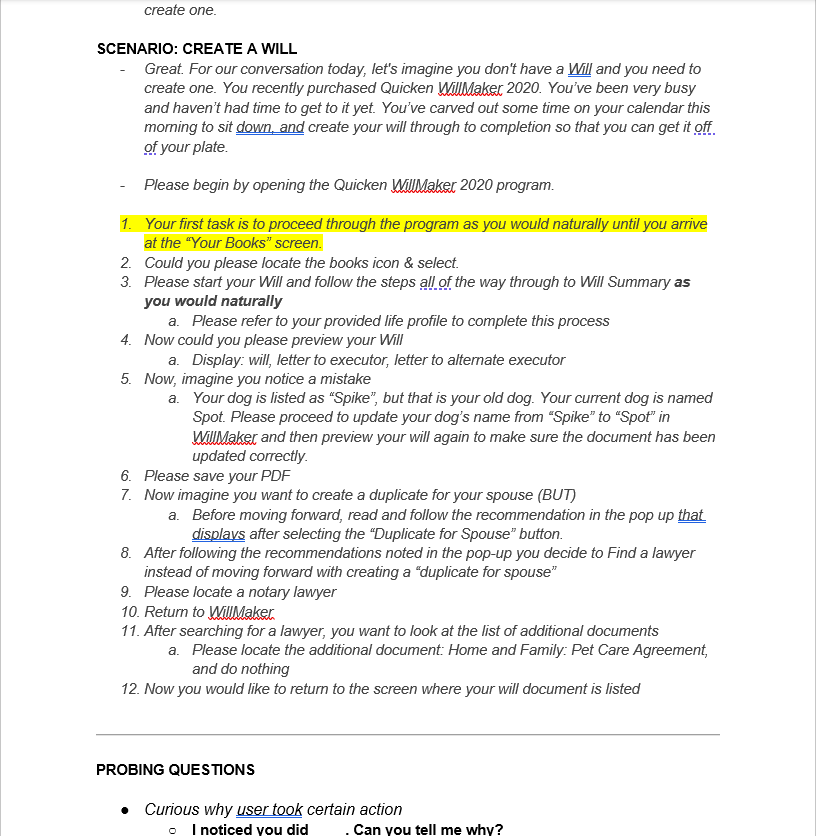
User testing Interviews
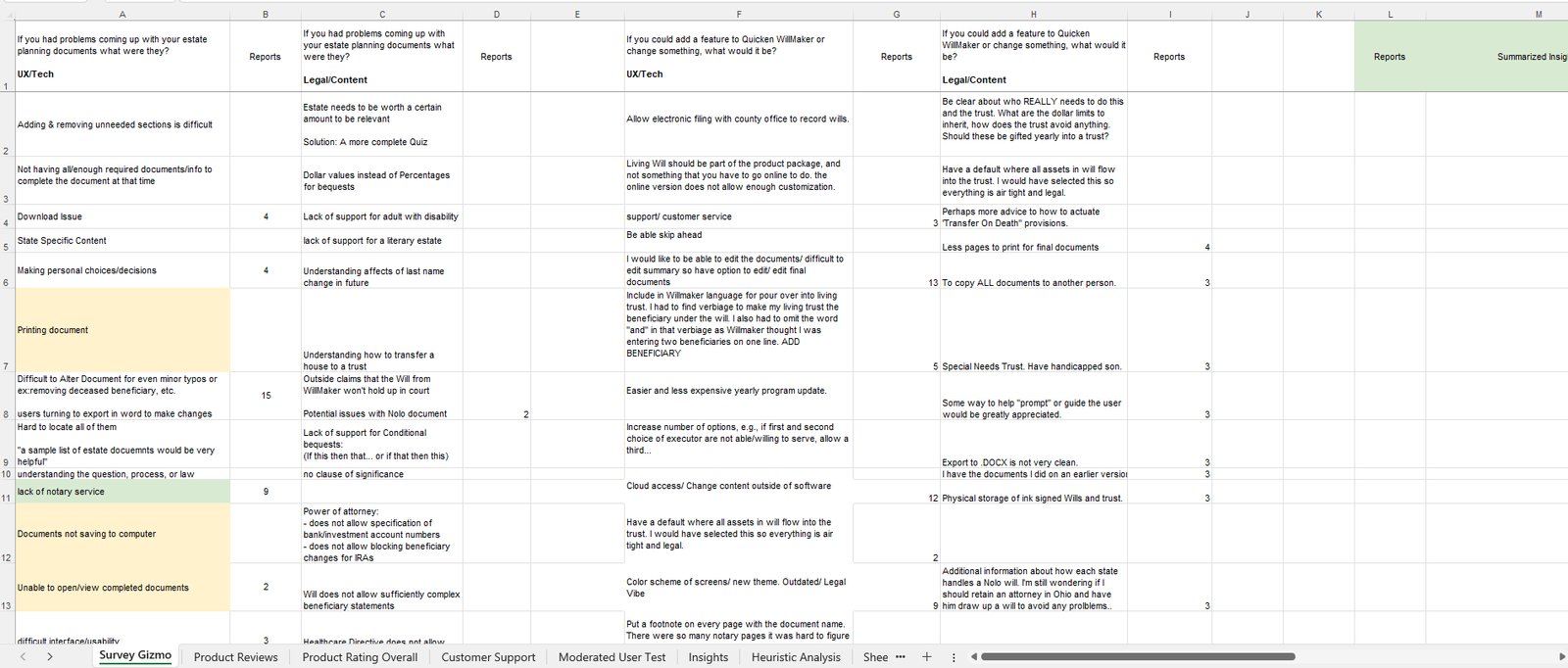
We conducted task-based interviews with real users on UserTesting.com to observe how they naturally interacted with Quicken WillMaker. Each participant was given a realistic scenario—creating a will from scratch—and asked to complete tasks like editing errors, saving PDFs, and locating legal resources. Open-ended follow-up questions helped uncover confusion points, such as navigating to specific screens or interpreting legal terms. This hands-on feedback revealed usability gaps and led to actionable improvements in clarity, workflow, and document guidance.
User testing Interviews Results
Through structured interviews and survey analysis, we uncovered key challenges users faced while using Quicken WillMaker—ranging from editing difficulties and unclear legal content to state-specific gaps and lack of notary guidance. Participants requested more flexibility when editing documents, easier export options, clearer instructions for complex scenarios (like trusts or special needs planning), and stronger accessibility support. These results informed new feature ideas and usability improvements focused on clarity, customization, and reducing legal uncertainty for everyday users.
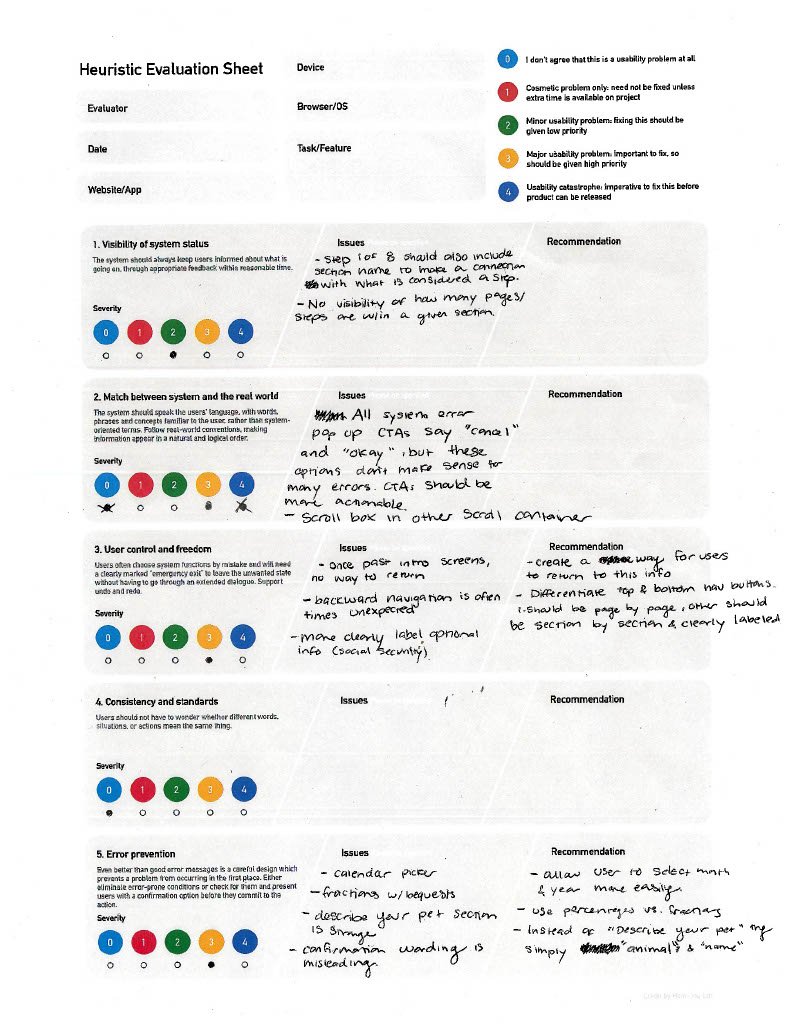
Heuristic Analysis
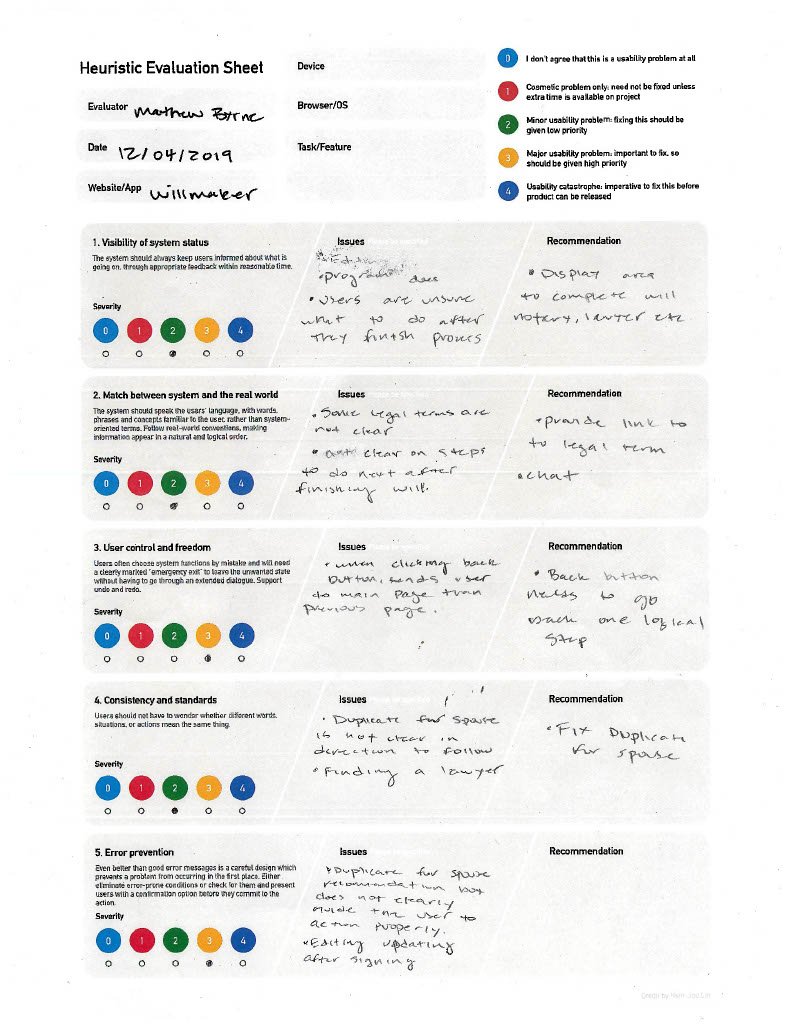
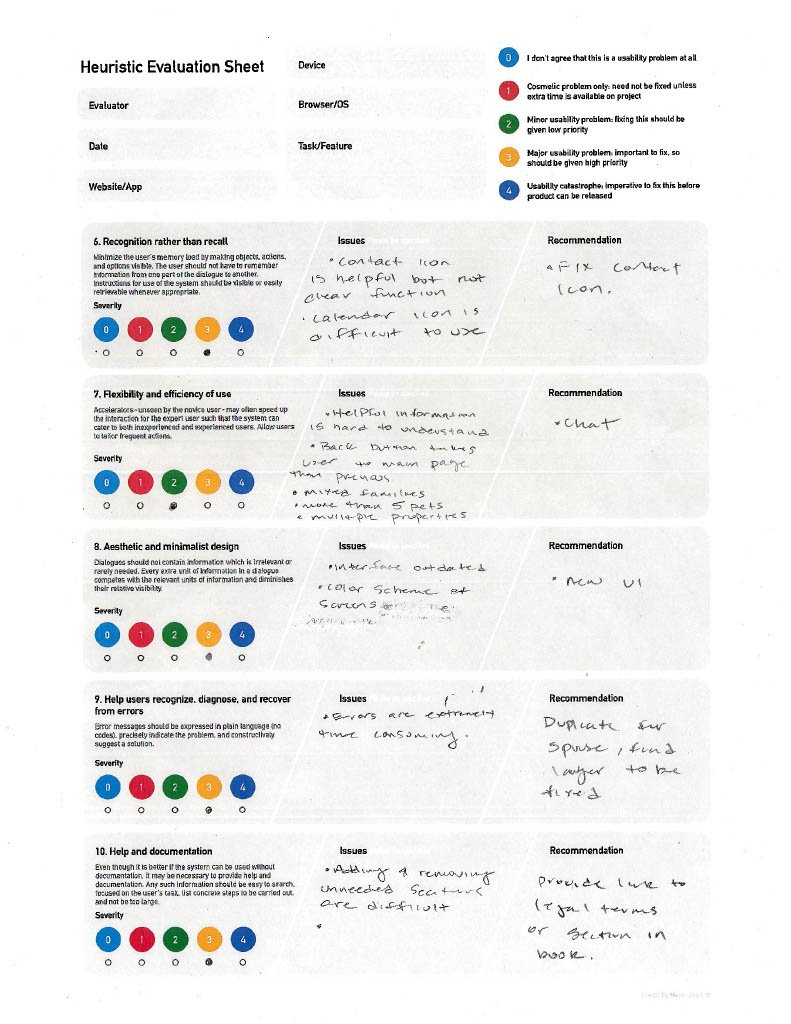
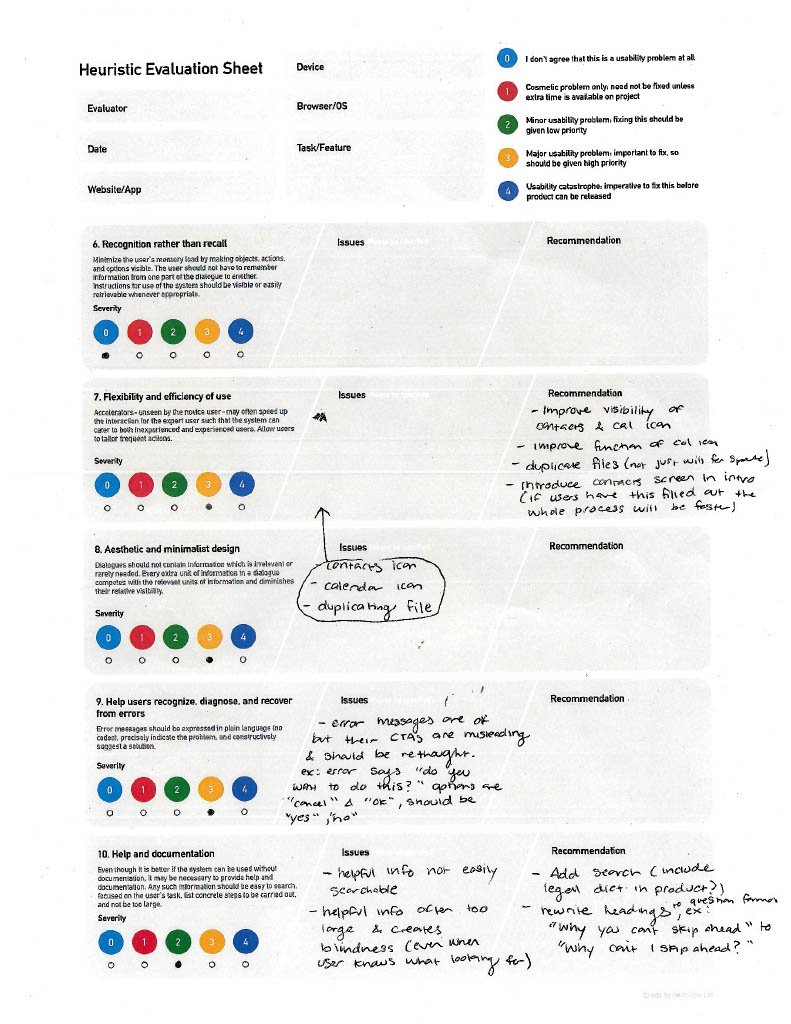
Our evaluation revealed key usability gaps in Quicken WillMaker, including unclear legal language, limited editing control, and weak system feedback. Improving guidance, error prevention, and in-context support can help users feel more confident and reduce friction in the estate planning process.
Persona Outcome
Using detailed user interviews and survey results, we created four distinct personas representing key user groups interacting with Quicken WillMaker: first-time users uncertain about legal terminology, returning users updating older wills, individuals exploring living trusts, and users balancing digital and legal needs. Each persona was shaped by real concerns, including editing limitations, state-specific confusion, difficulty saving or printing documents, and lack of guidance for complex life scenarios like special needs planning or healthcare directives. These personas helped us surface actionable pain points and guided design recommendations that prioritize clarity, legal confidence, and a more supportive user experience across all devices.
How Might We's
1. How might we
make it easier for users to edit, update, and finalize legal documents without starting over?
2. How might we
simplify complex legal concepts and provide clear explanations based on each user’s situation?
3. How might we
guide users through tasks like creating trusts or healthcare directives with confidence?
4. How might we
reduce friction in saving, printing, and exporting documents across different devices?
5. How might we
provide smarter, more personalized prompts based on user behavior and common questions?
Hypothesis Updated
If we redesign Quicken WillMaker to address key user frustrations—such as editing limitations, legal clarity, state-specific confusion, and saving/exporting issues—then users will feel more confident and in control throughout the estate planning process. By tailoring the experience to different user needs and legal situations, we believe we can reduce drop-off, increase task completion, and improve overall satisfaction across platforms.
Competitive Analysis
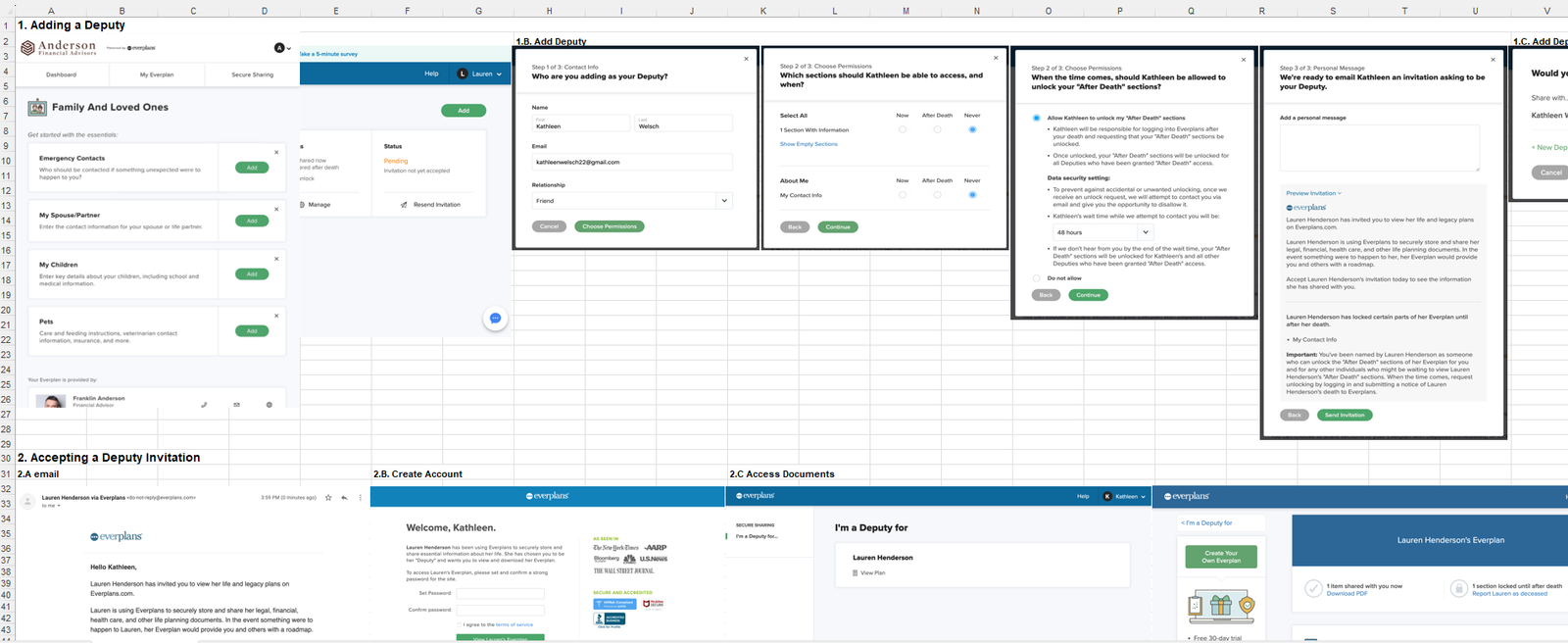
Everplans stands out by offering secure document sharing, deputy access, and post-death permissions—all in a clean, guided experience. Quicken WillMaker can stay competitive by improving collaboration features, simplifying user flows, and supporting real-time access for trusted contacts.
Process Flow Chart
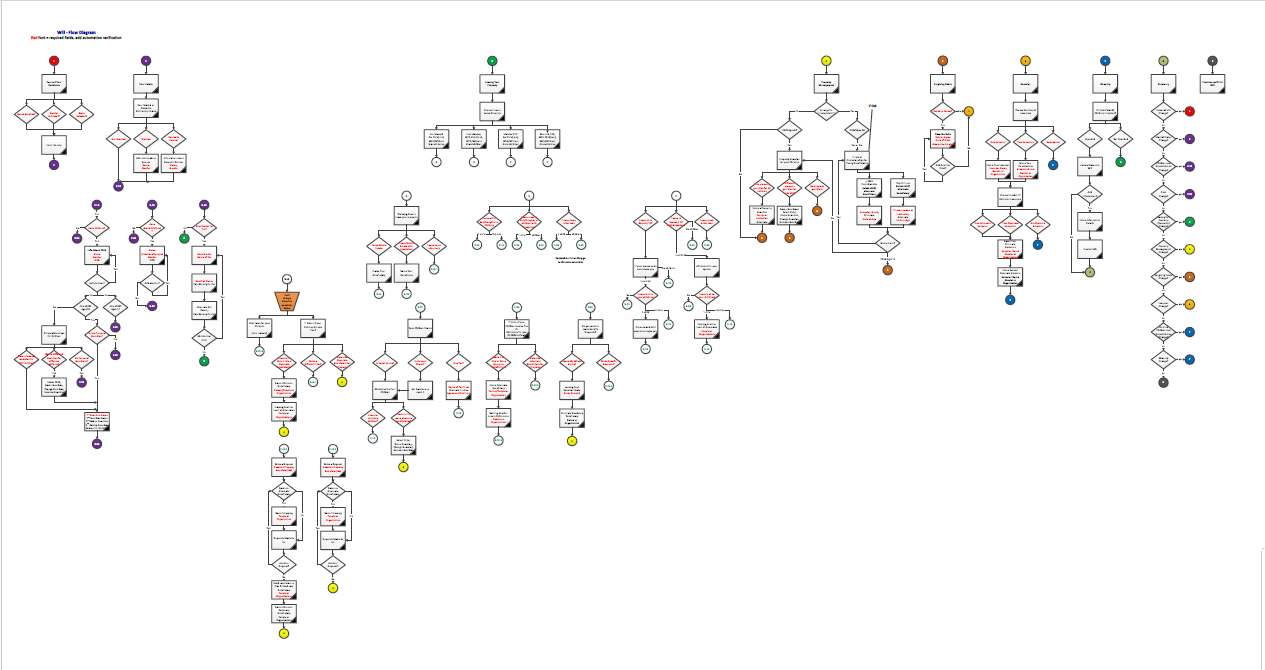
1. Guide the user through a structured decision tree starting with their personal and family information
2. Present dynamic questions to determine legal needs (e.g., executors, guardianship, property distribution)
3. Validate key legal requirements based on state laws and document type
4. Display real-time feedback and legal warnings for incomplete or conflicting answers
5. Allow review and editing of final decisions before generating documents
6. Support export, printing, and saving with instructions for notarization or legal follow-up
How Might We's
1. How might we
make the estate planning process feel less overwhelming for first-time users?
2. How might we
guide users through saving, exporting, and completing documents without confusion?
3. How might we
help users clearly understand state-specific legal requirements at the right moments?
4. How might we
provide real-time feedback when users make errors or miss critical steps?
5. How might we
create an experience that builds user trust through clarity, guidance, and flexibility?
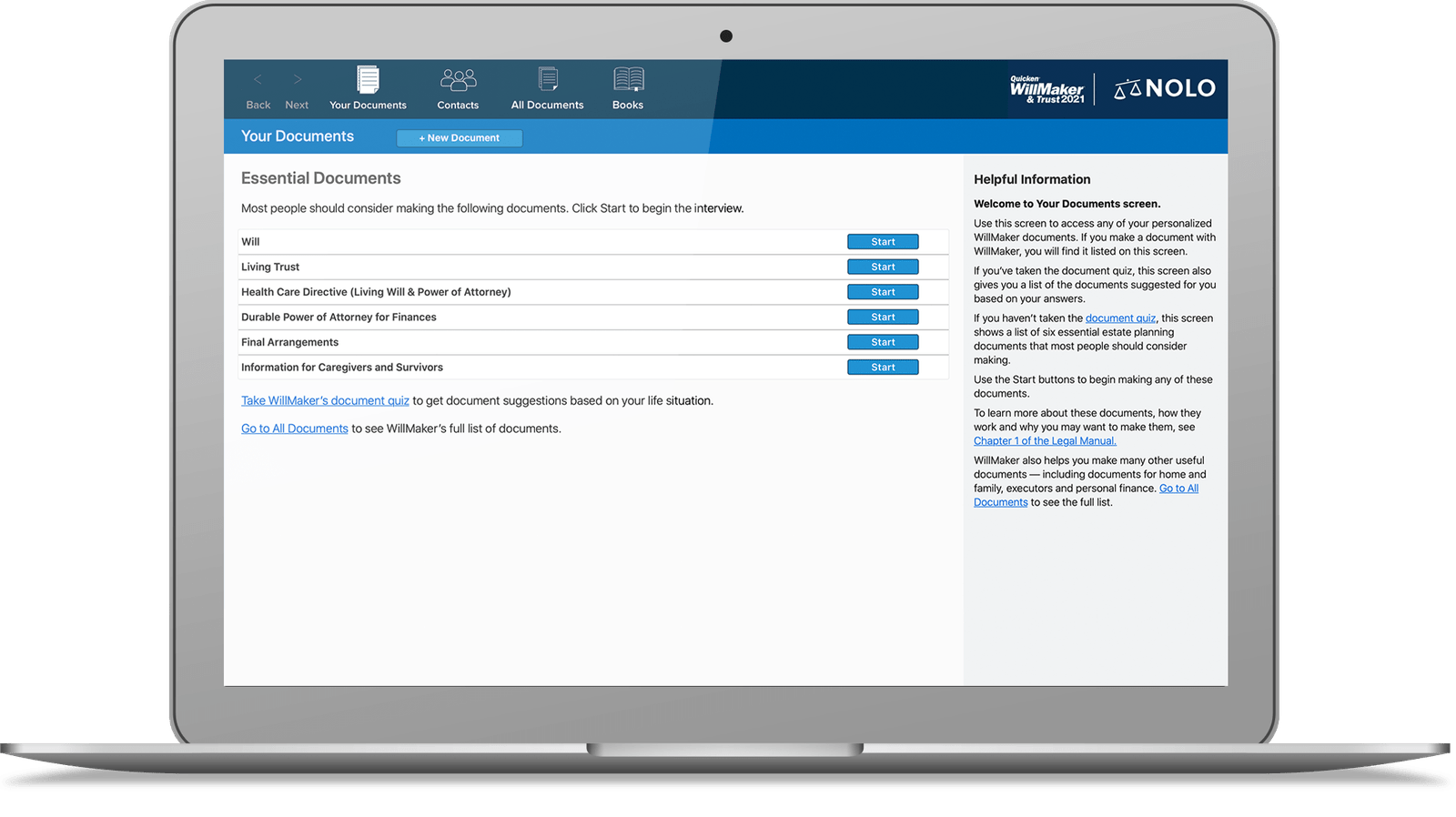
Willmaker Before
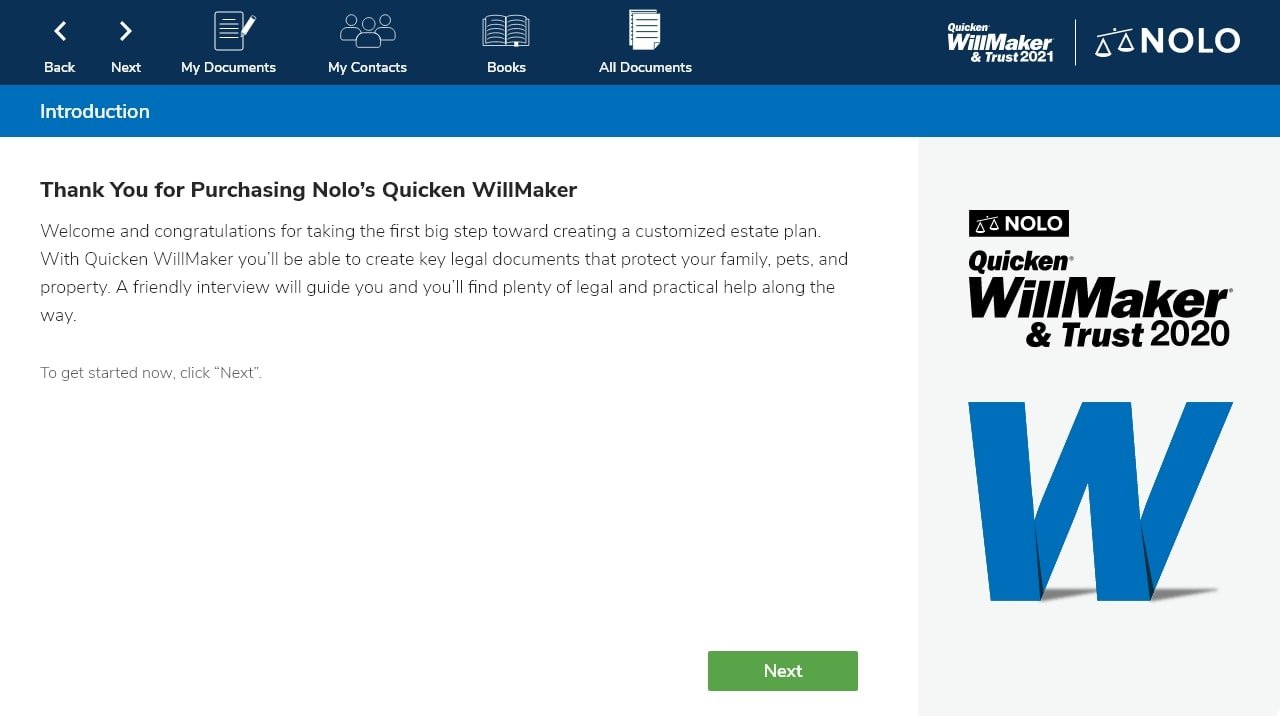
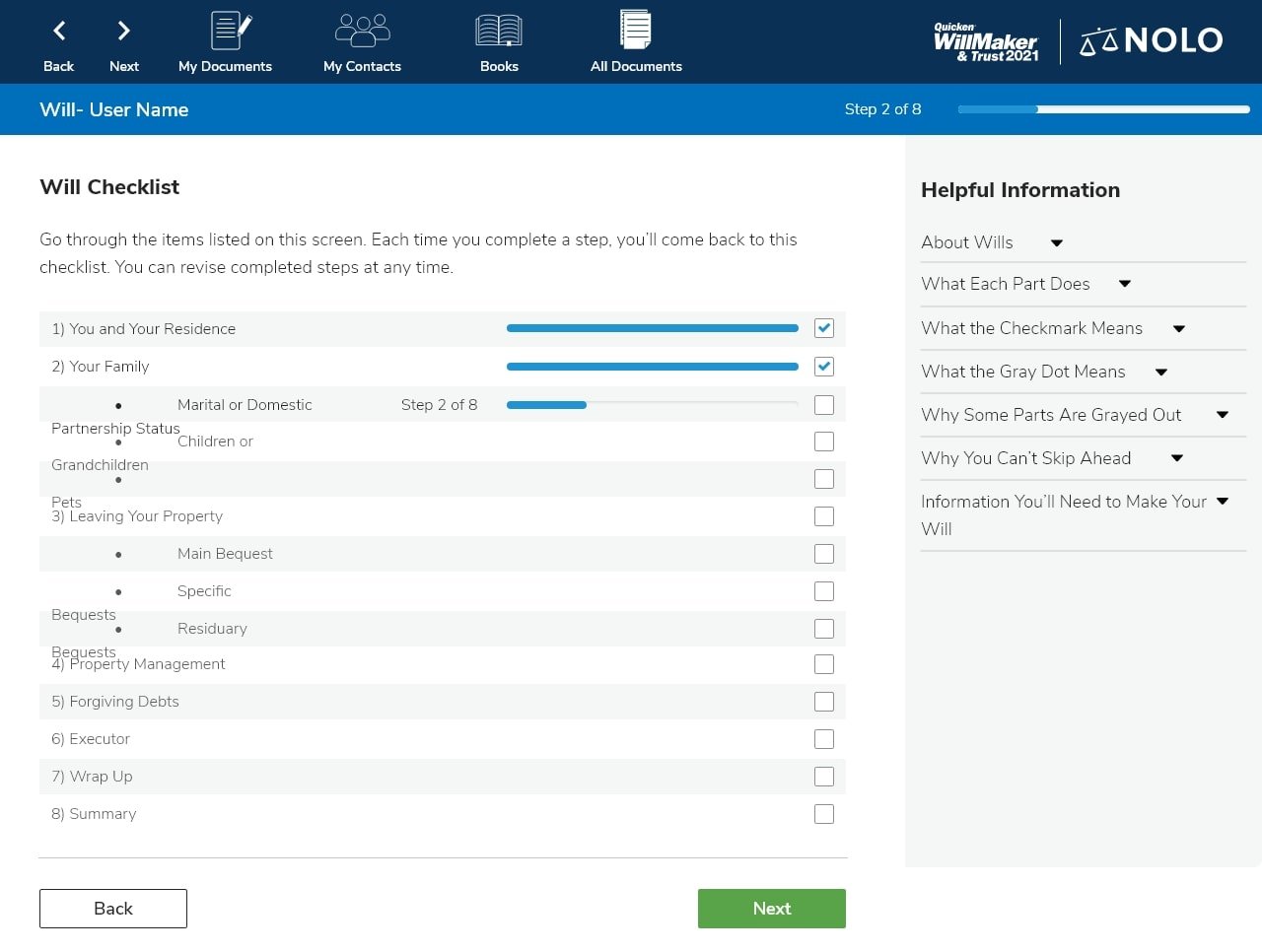
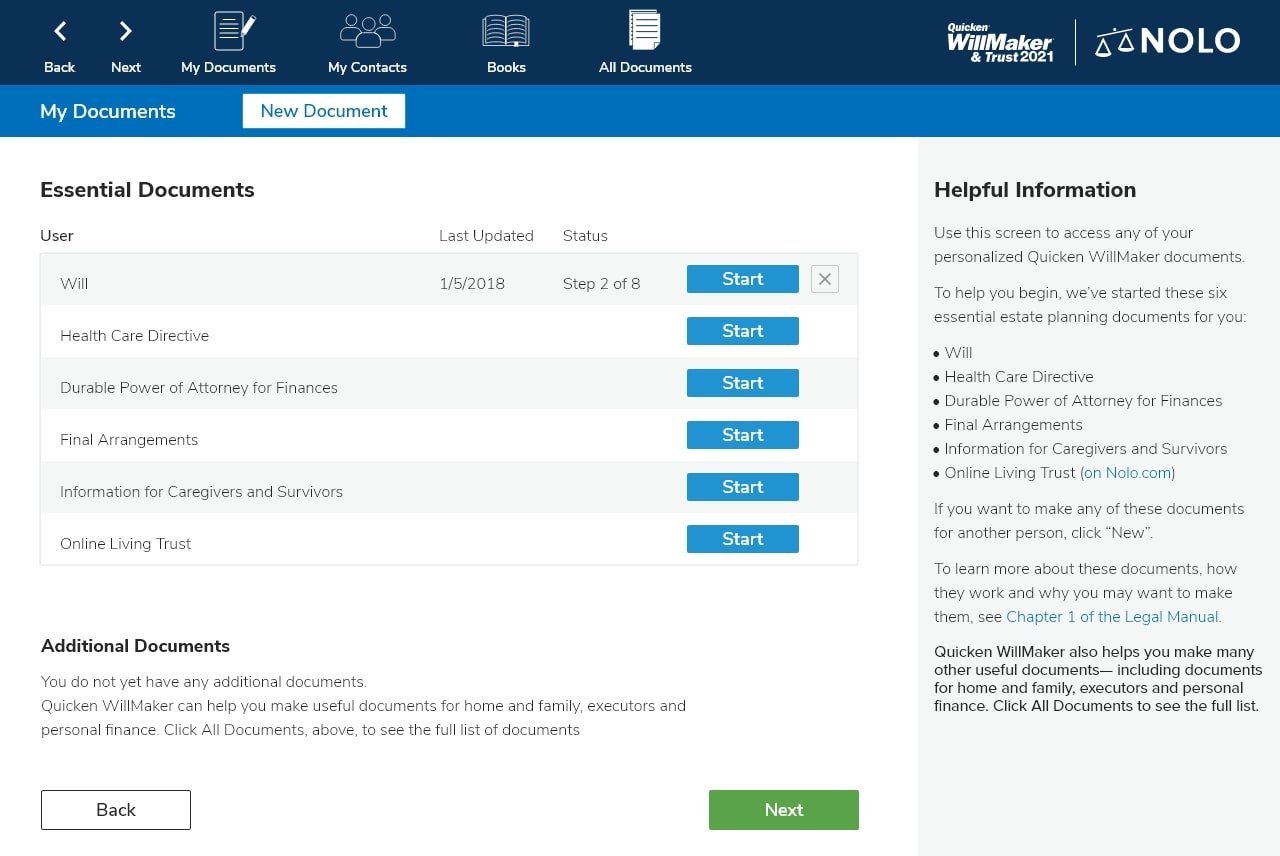
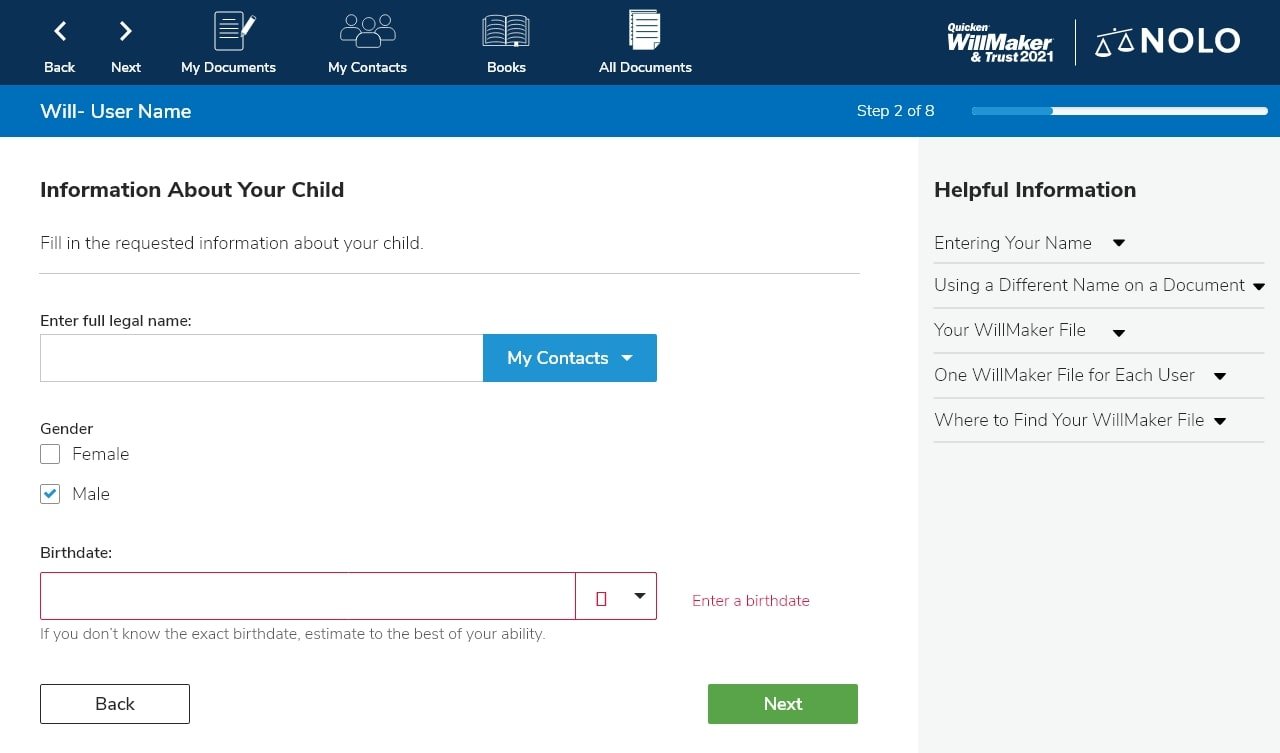
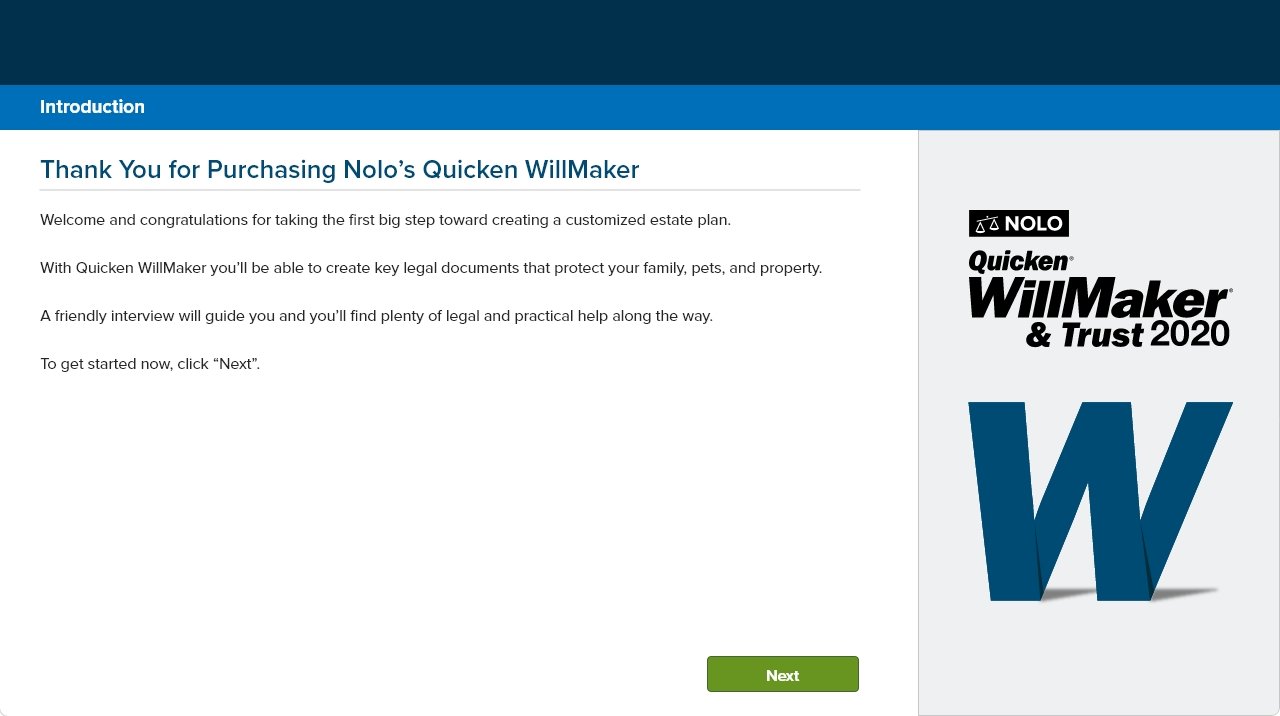
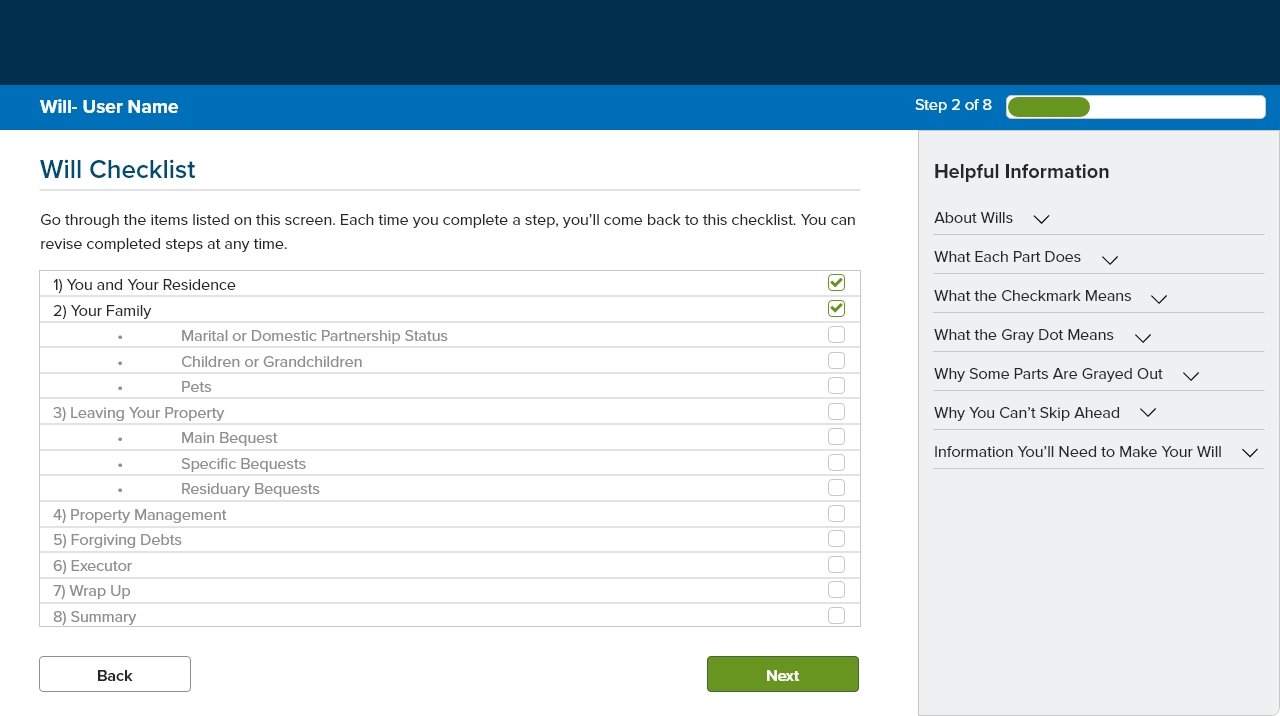
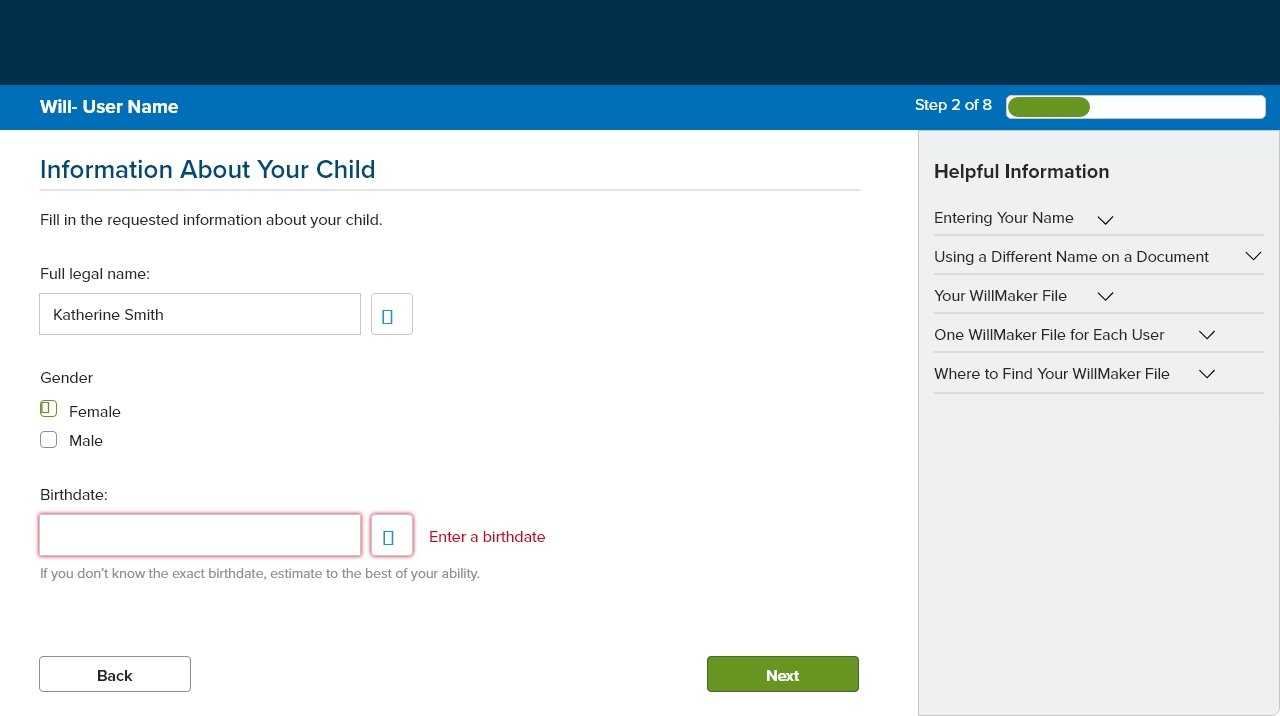
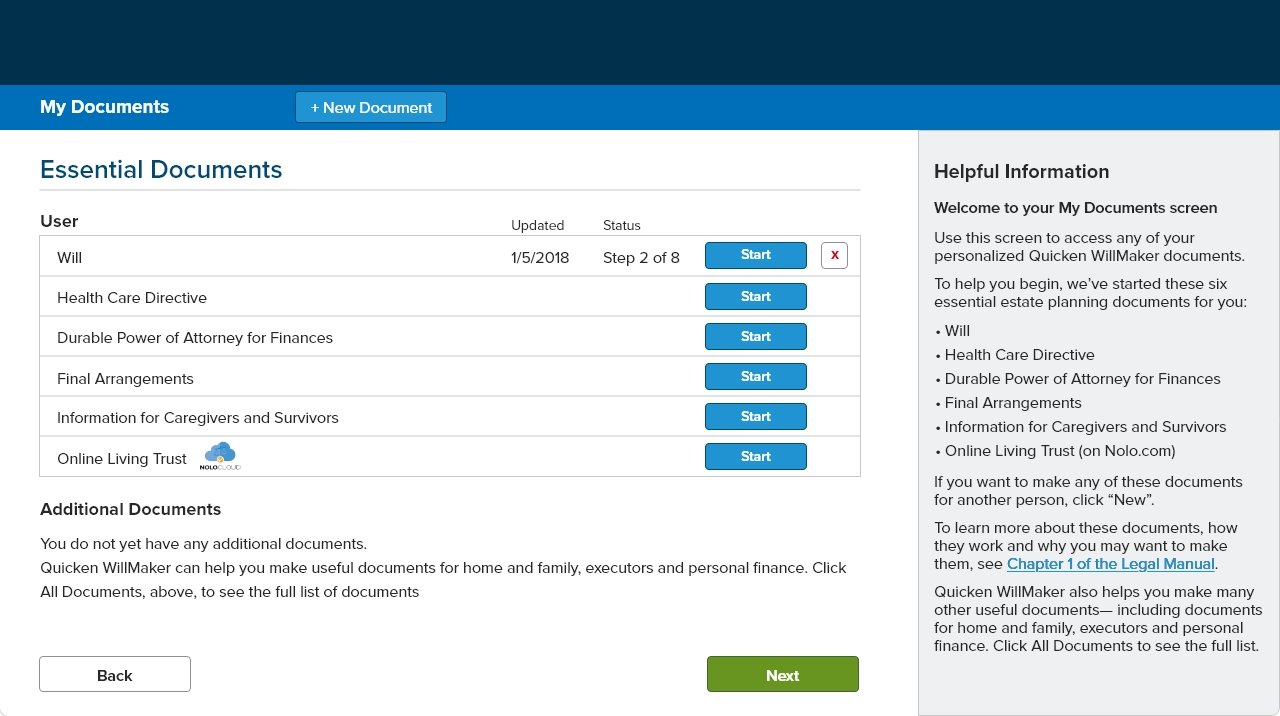
The earlier version of Quicken WillMaker had a dated interface with minimal visual hierarchy and limited personalization. While it covered essential estate planning documents, the linear checklist approach and static help text made the process feel rigid and overwhelming—especially for first-time users.
Key screens like the document dashboard, child information entry, and will checklist lacked smart guidance, contextual tips, or flexibility for jumping between sections. Users often missed legal details or grew confused during longer sessions.
Improvements could include a more modern design system, smarter document status tracking, dynamic prompts based on user input, and responsive help that feels supportive—not static. These changes would make the experience feel more guided, more human, and more in sync with real-life planning scenarios.
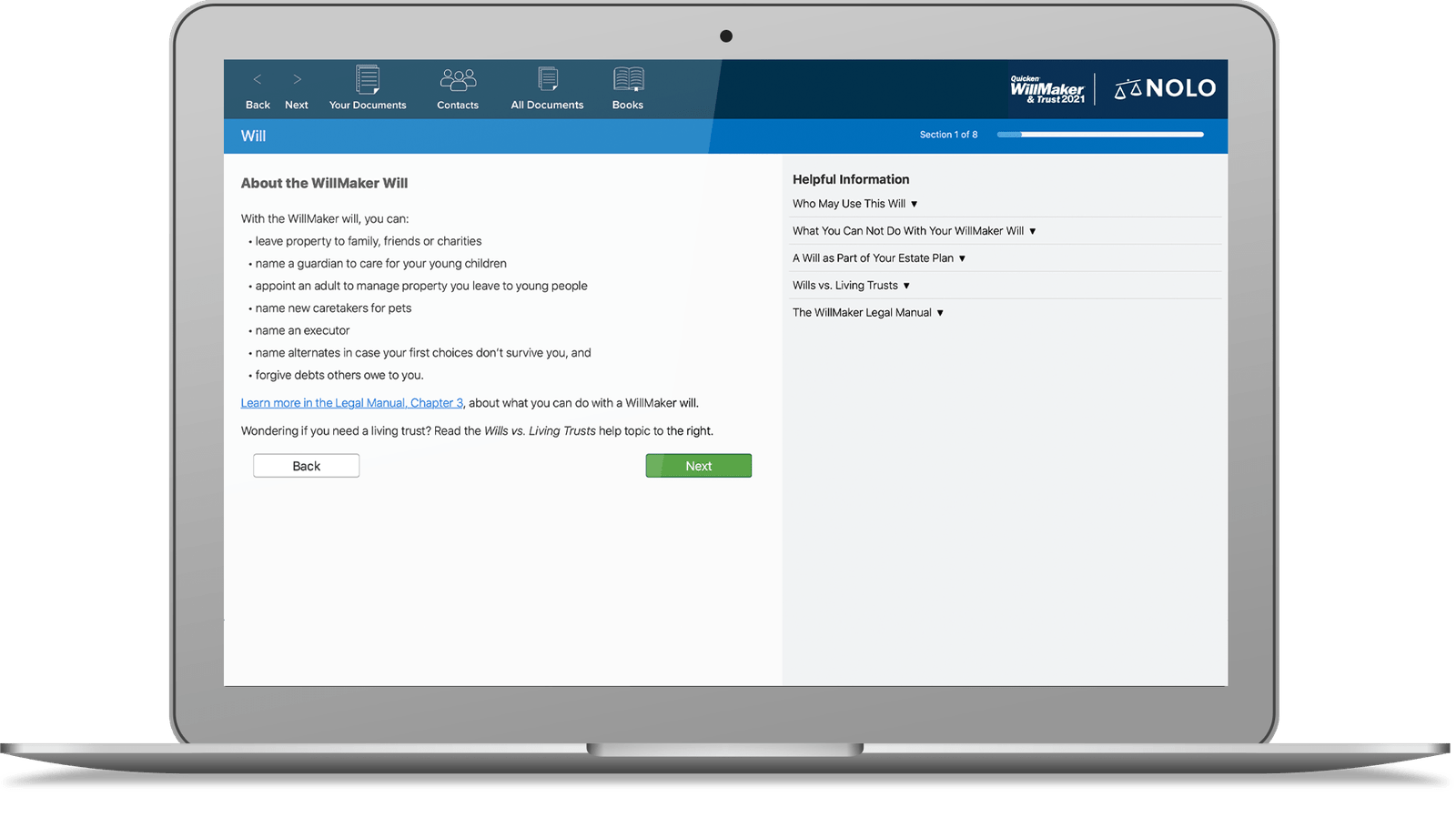
Willmaker After
The redesigned Quicken WillMaker introduces a cleaner, more modern interface with clearer navigation and a user-friendly hierarchy. Updated visuals and layout improvements help reduce the cognitive load—especially for users unfamiliar with legal processes.
New features include a progress bar that tracks document creation steps, collapsible help sections for context-sensitive support, and a more intuitive checklist flow. Each screen now guides the user with just-in-time tips, improving confidence and reducing drop-off.
We also added document quiz integration, smart contact selection, and improved visibility into each legal form’s purpose. These updates bring the experience closer to how people naturally plan—one step at a time—with more clarity, control, and personalization.